

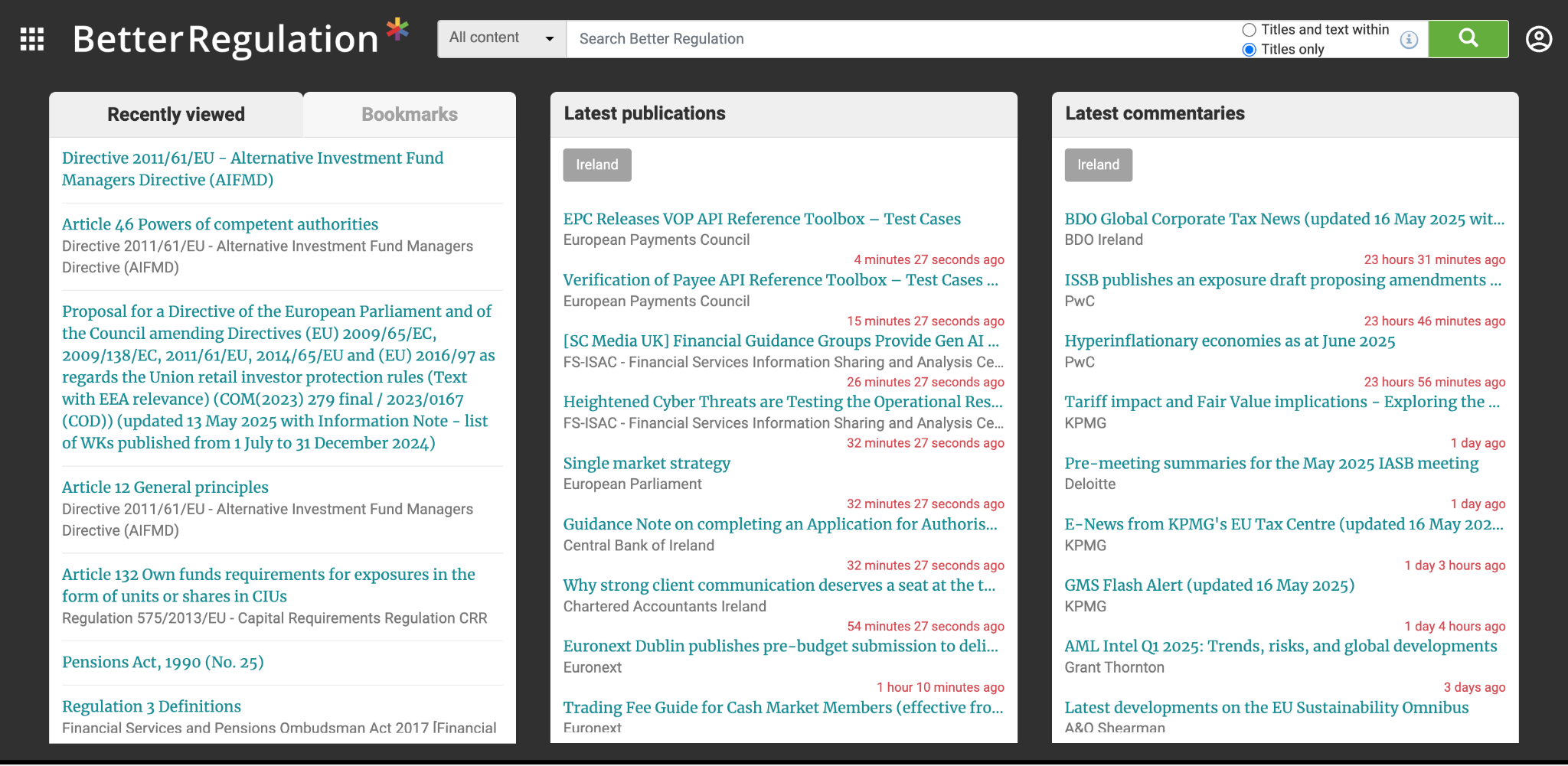
1. Main Menu (Top Left)
Click the menu icon in the top-left corner to open the main navigation. This gives you access to content categories, saved searches, alerts, and other platform features.
2. Profile & Account Settings (Top Right)
Use the profile icon in the top-right corner to manage your account, update preferences, or sign out.
3. Search Bar (Top Center)
Use the search bar to find legislation, commentaries, and publications. You can toggle between searching titles only or full content.
4. Recently Viewed & Bookmarks (Left Panel)
Quickly return to documents you’ve accessed recently — ideal for ongoing research.
5. Latest Publications (Middle Panel)
Stay up to date with the newest releases from regulators, industry bodies, and government sources.
6. Latest Commentaries (Right Panel)
Browse recent expert insights and analyses from top firms and regulatory bodies.